

✅ You can try EventBattle without any risk!
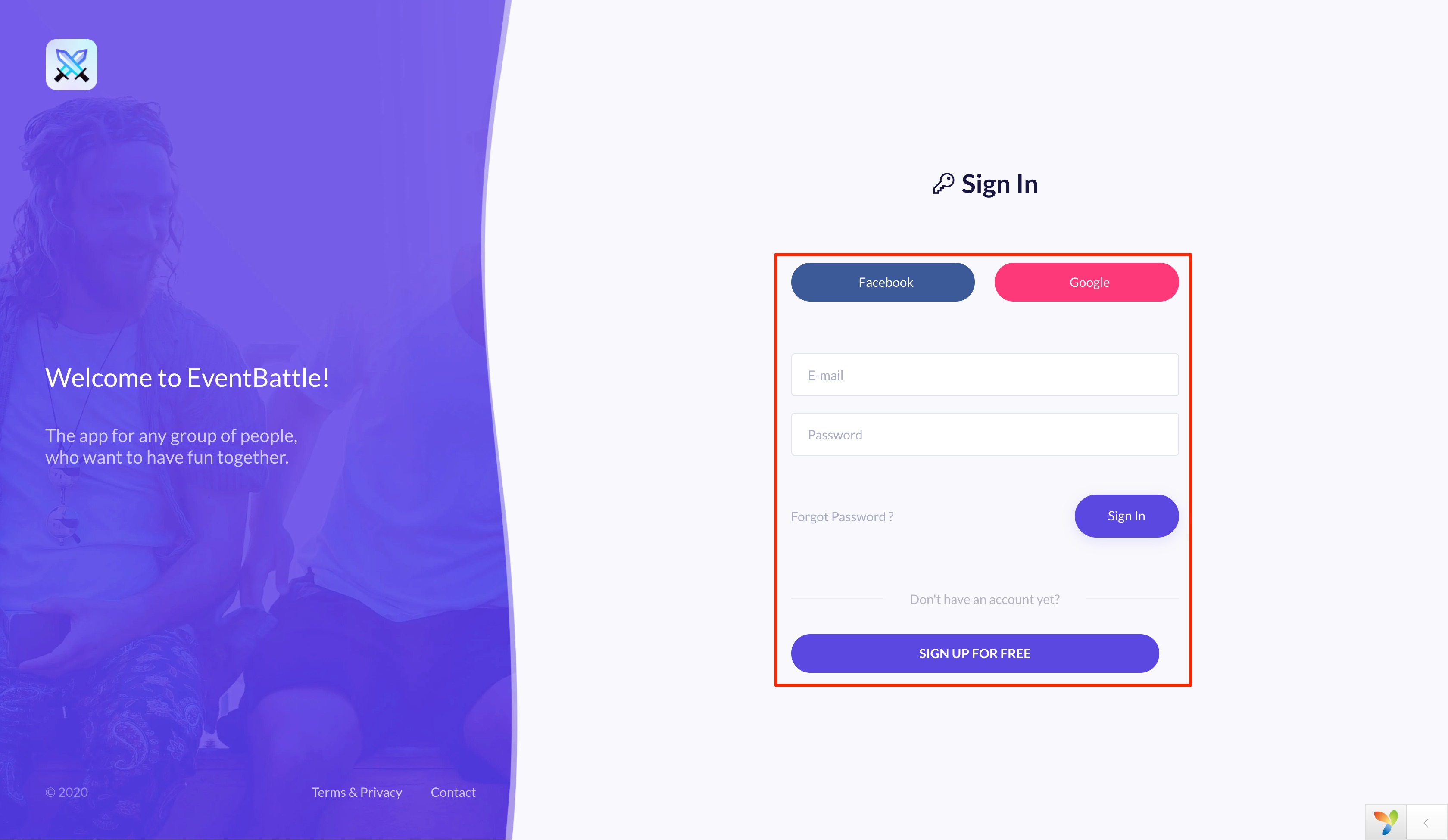
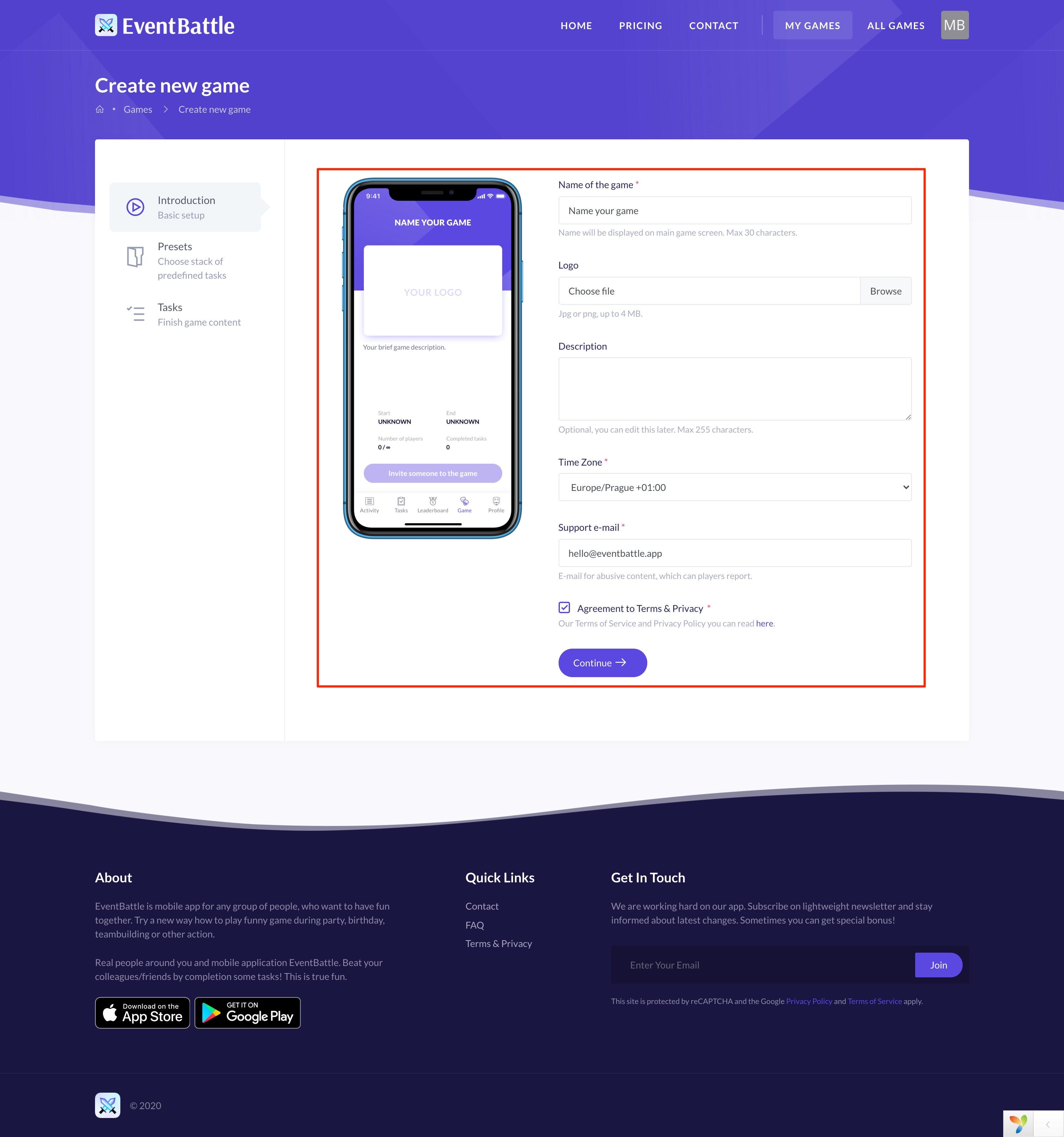
Game with up to 3 players are for free. It is ideal for testing before real game. You can sign in and create new game in web configurator.
But note! We are currently in beta. 🎁 All game plans are completely for free during beta!
You can install EventBattle on most smartphones with Android 5.0 and newer, which has Google Play.
If you have Huawei, you can download the app from the AppGallery.
EventBattle is also available on Apple iPhones with iOS 11 and newer.
Web configurator is designed for complete game configuration. You can name your game, upload logo, setup tasks and much more. After game ends, you can request data export and get leaderboard results.
In web configurator you can mark any player as "admin".
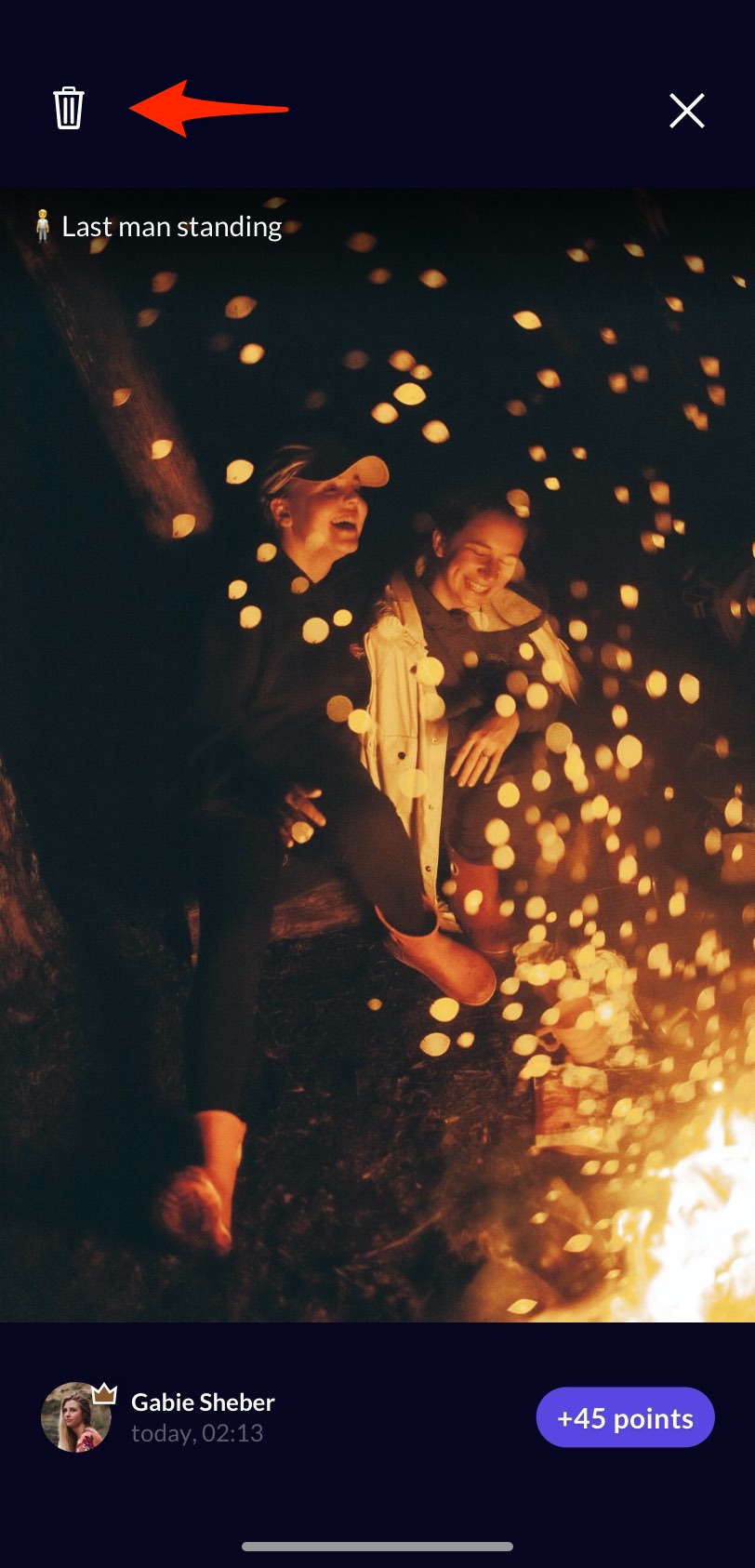
As admin you can delete all posts in game using mobile app. When admin see cheating, he can stop it.
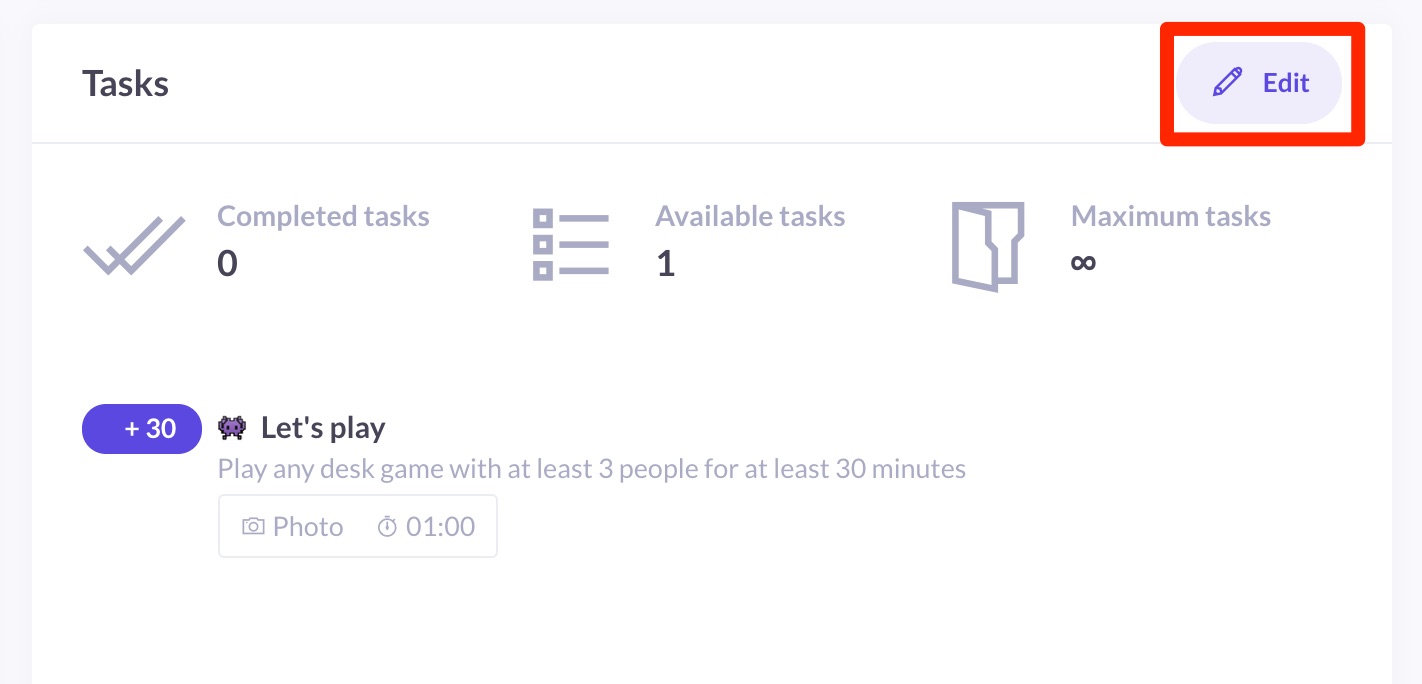
Yes, you can edit tasks at any time, even during the game.
You have two options.
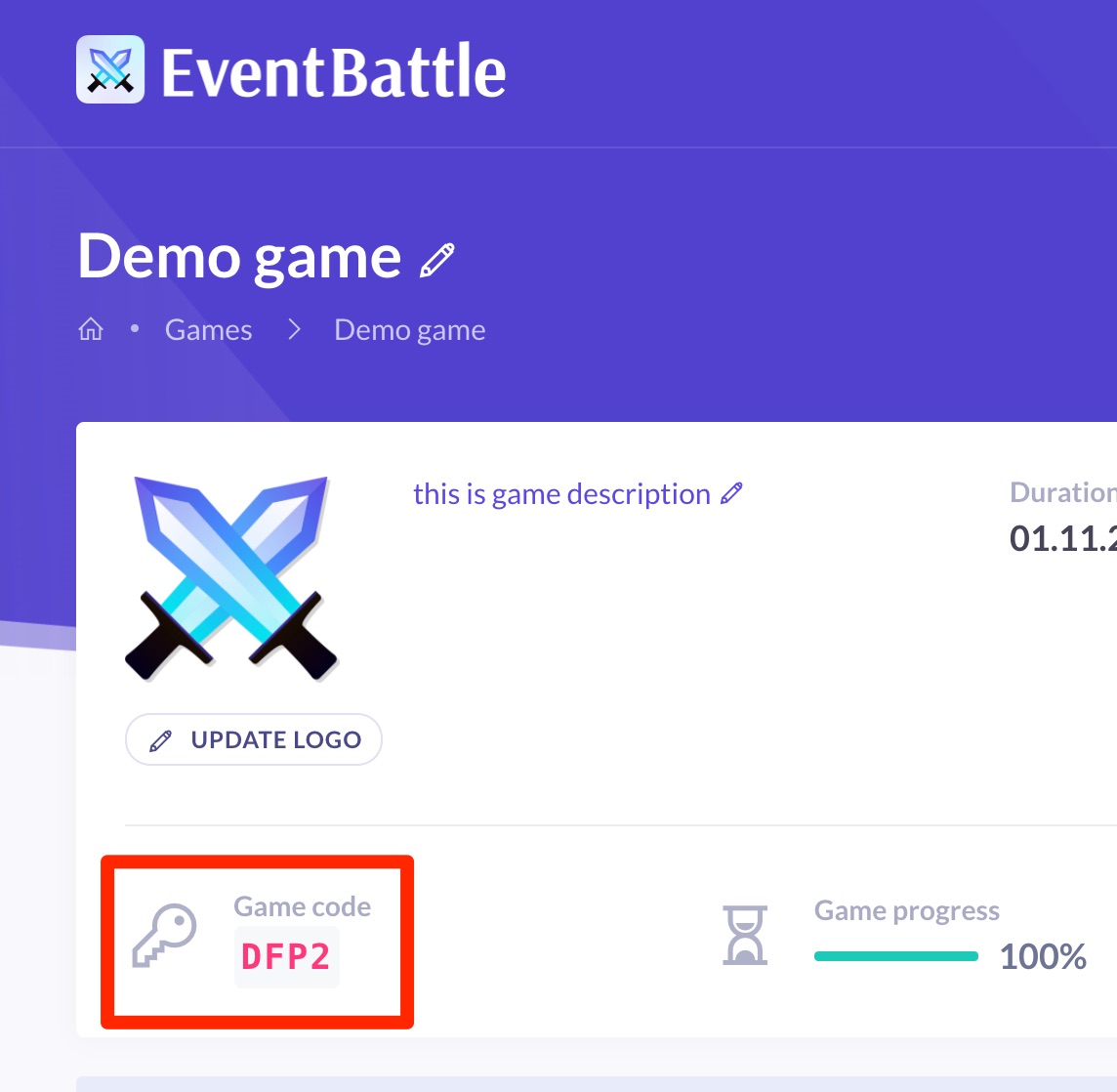
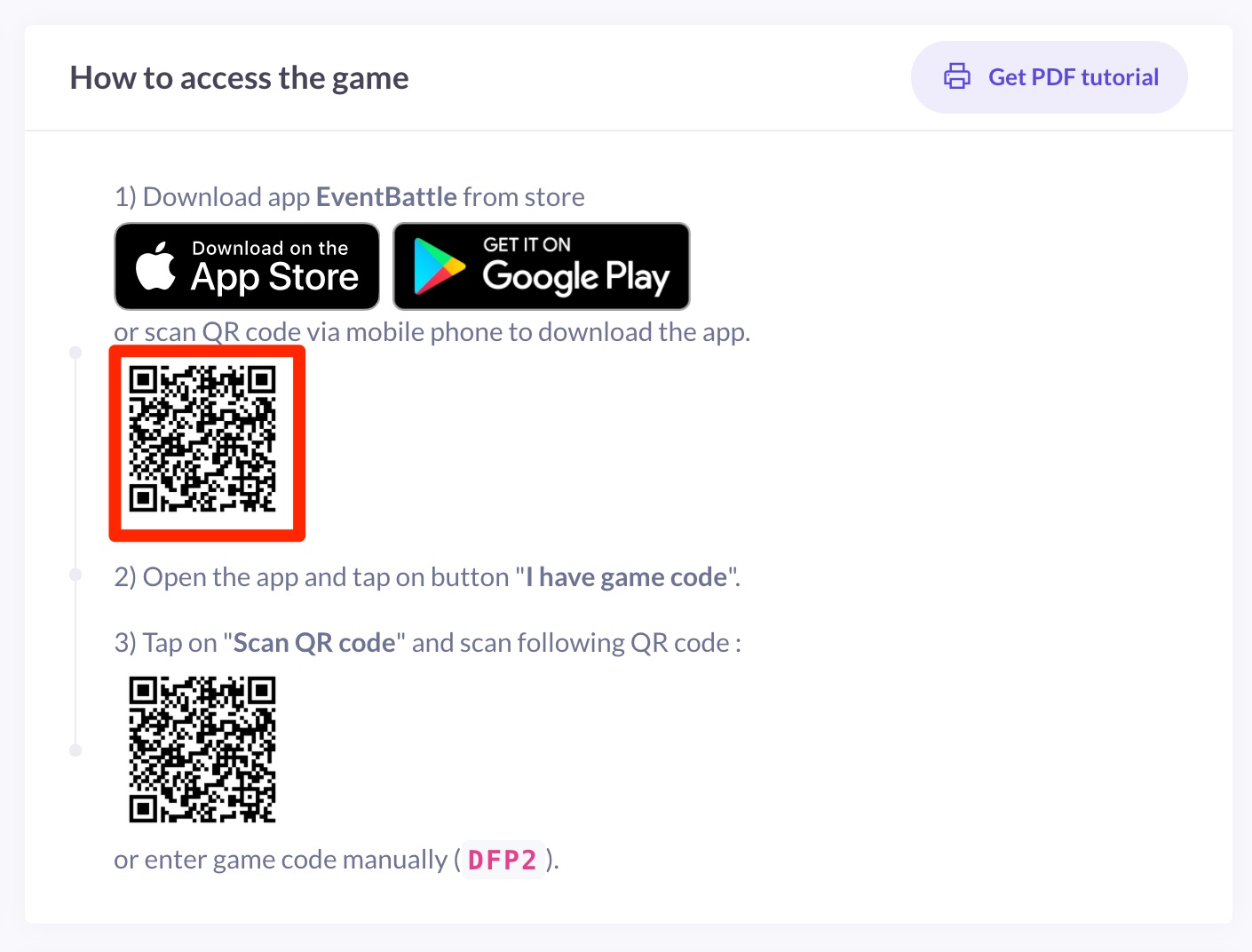
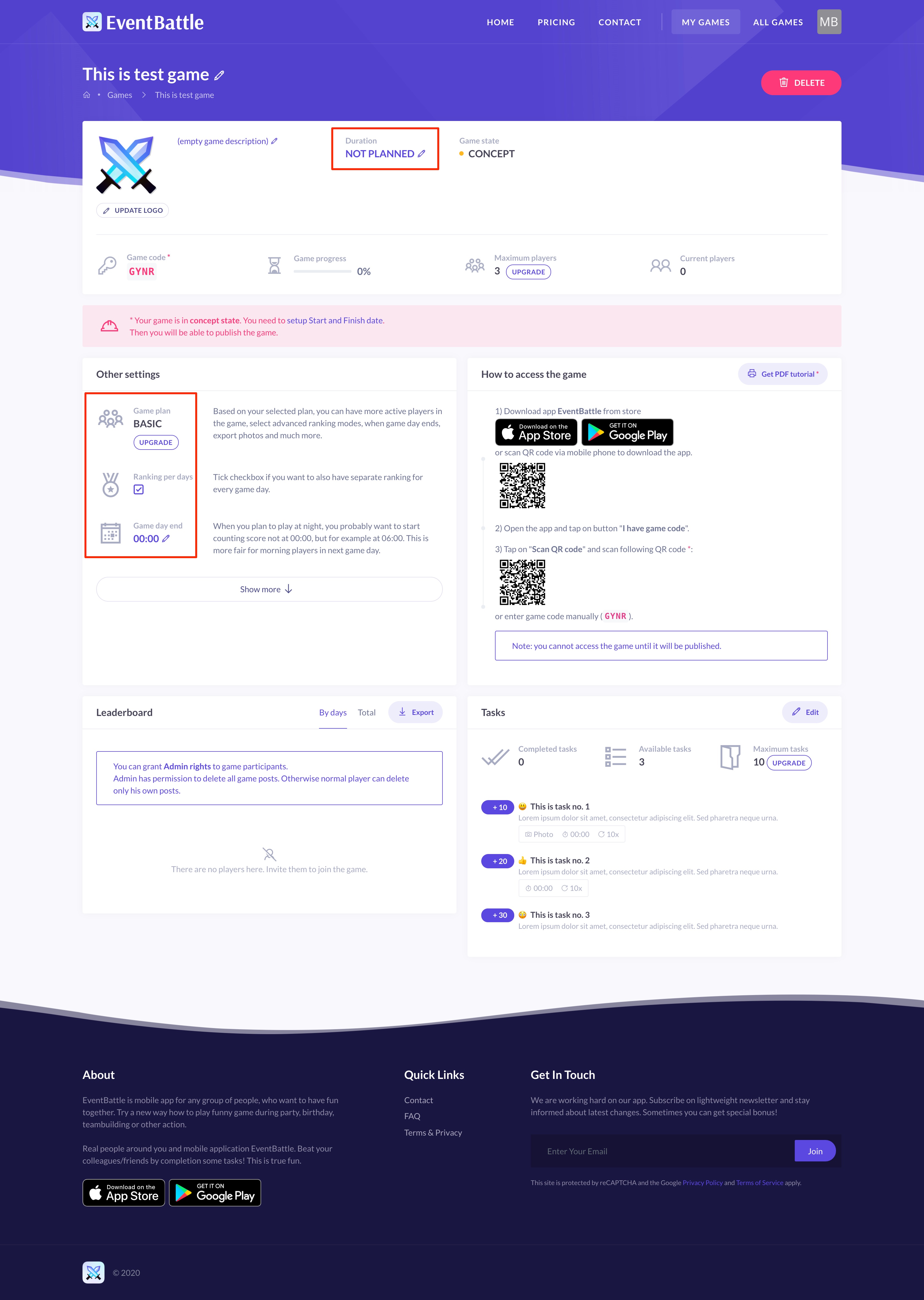
1) Share game code (4 characters), which is available in game detail
2) Share QR code, which is also available in game detail
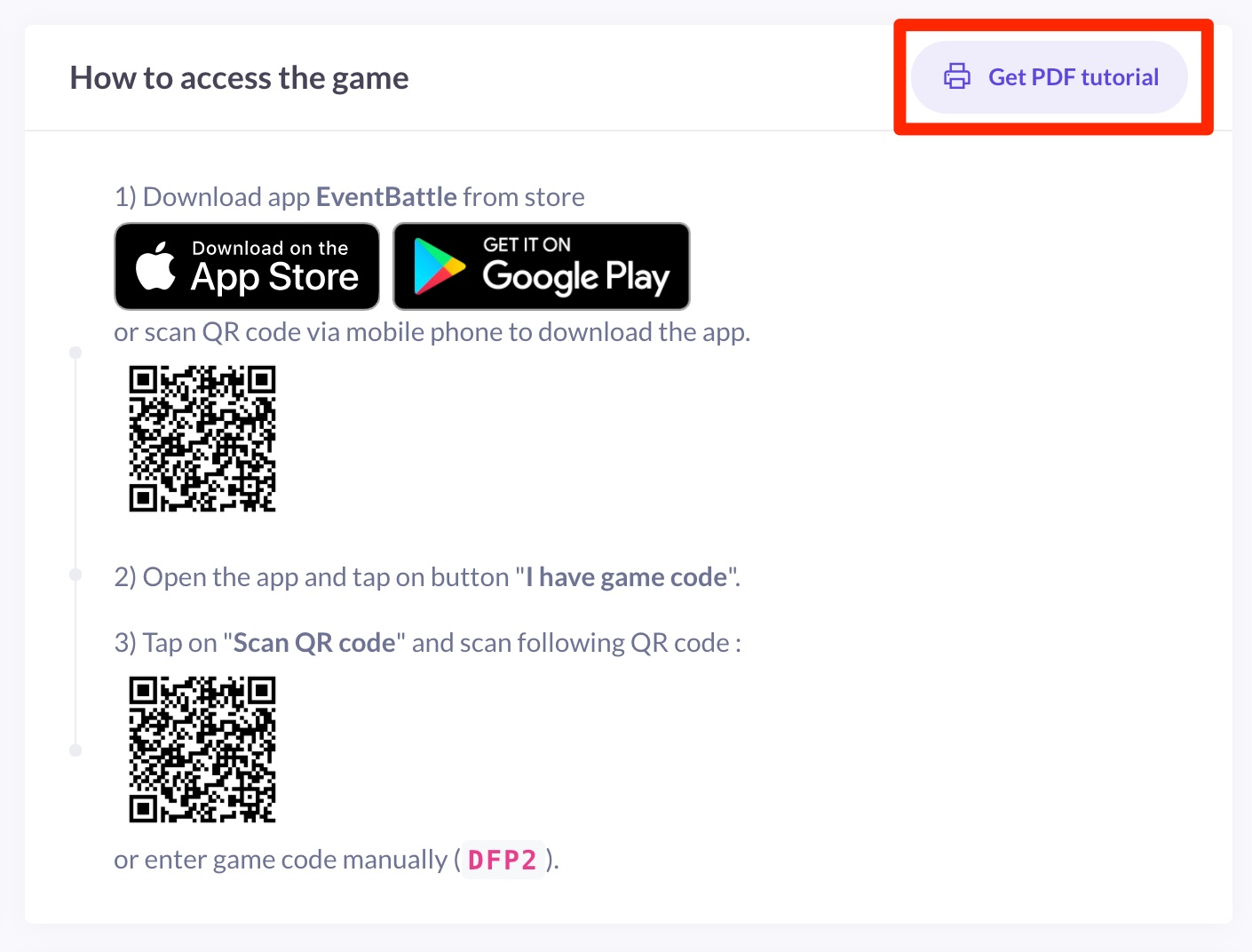
You can also print or share PDF with detailed tutorial.
Players can enter the game code or QR code after launching the application.
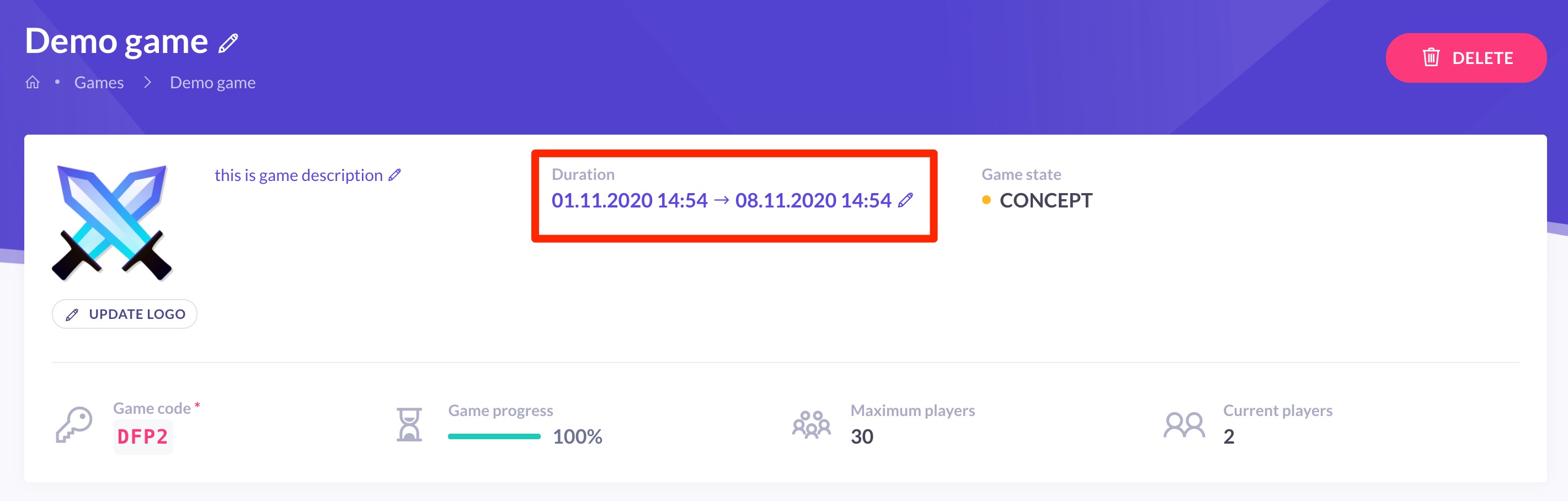
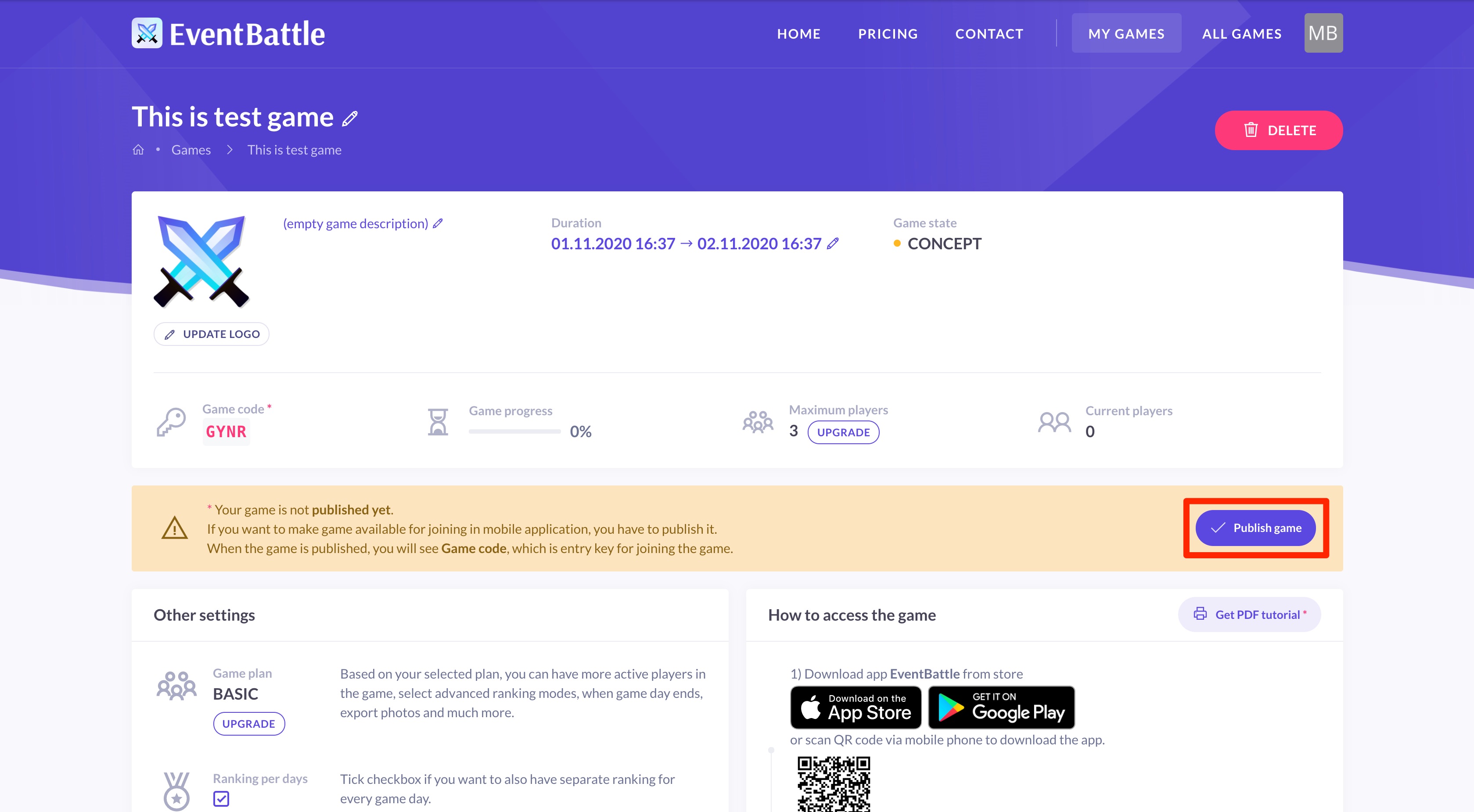
Setting, when the game will take place, is a necessary step before publishing the game. Maximum game duration is based on game plan, which you can also change.
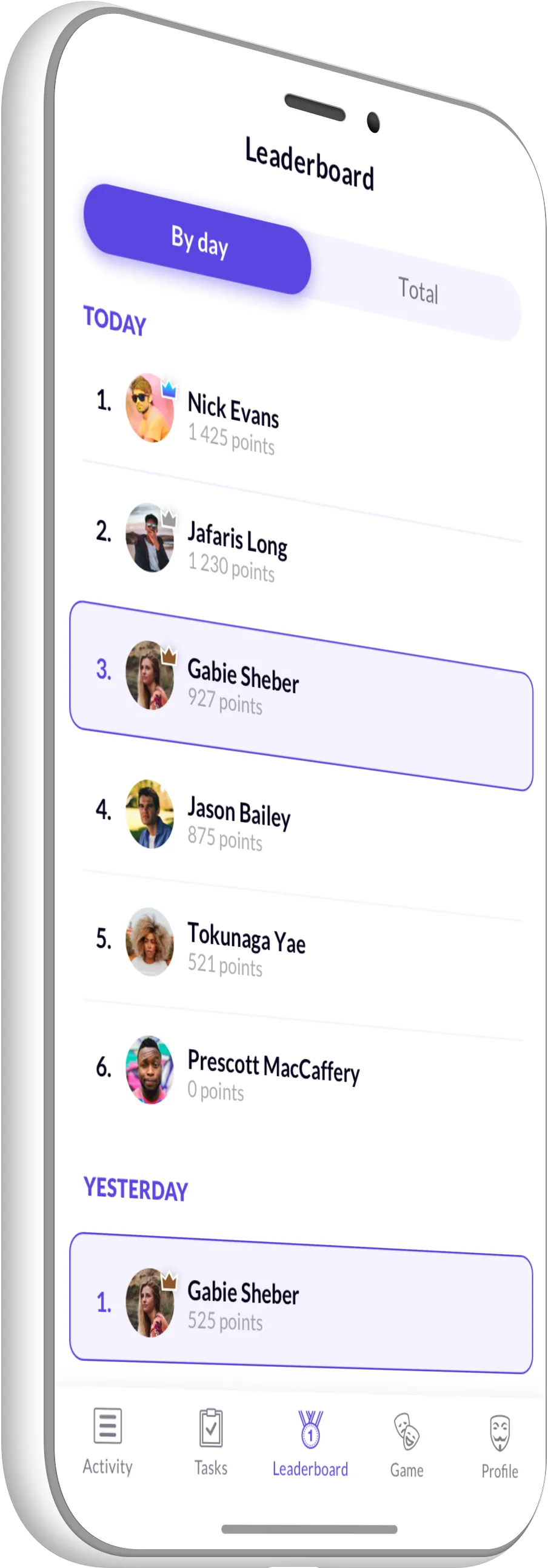
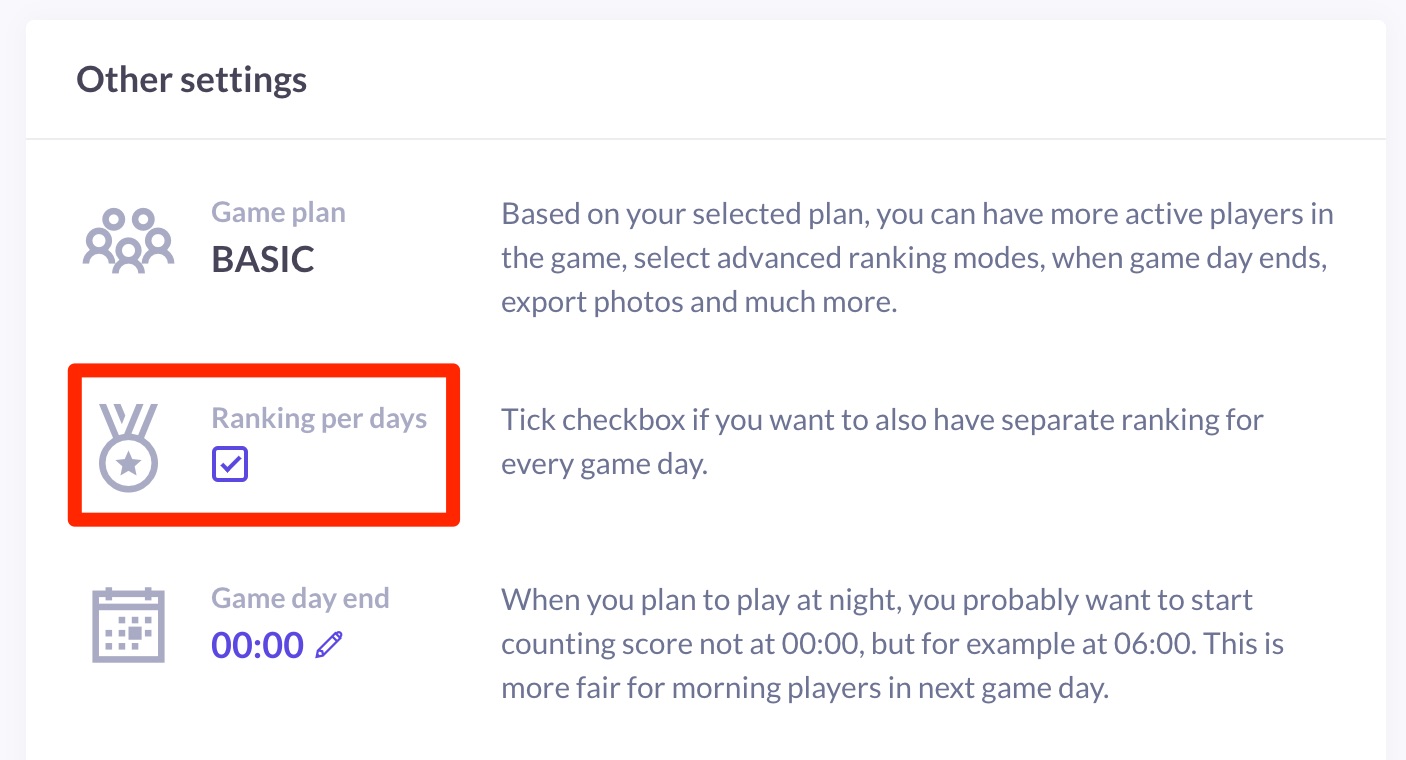
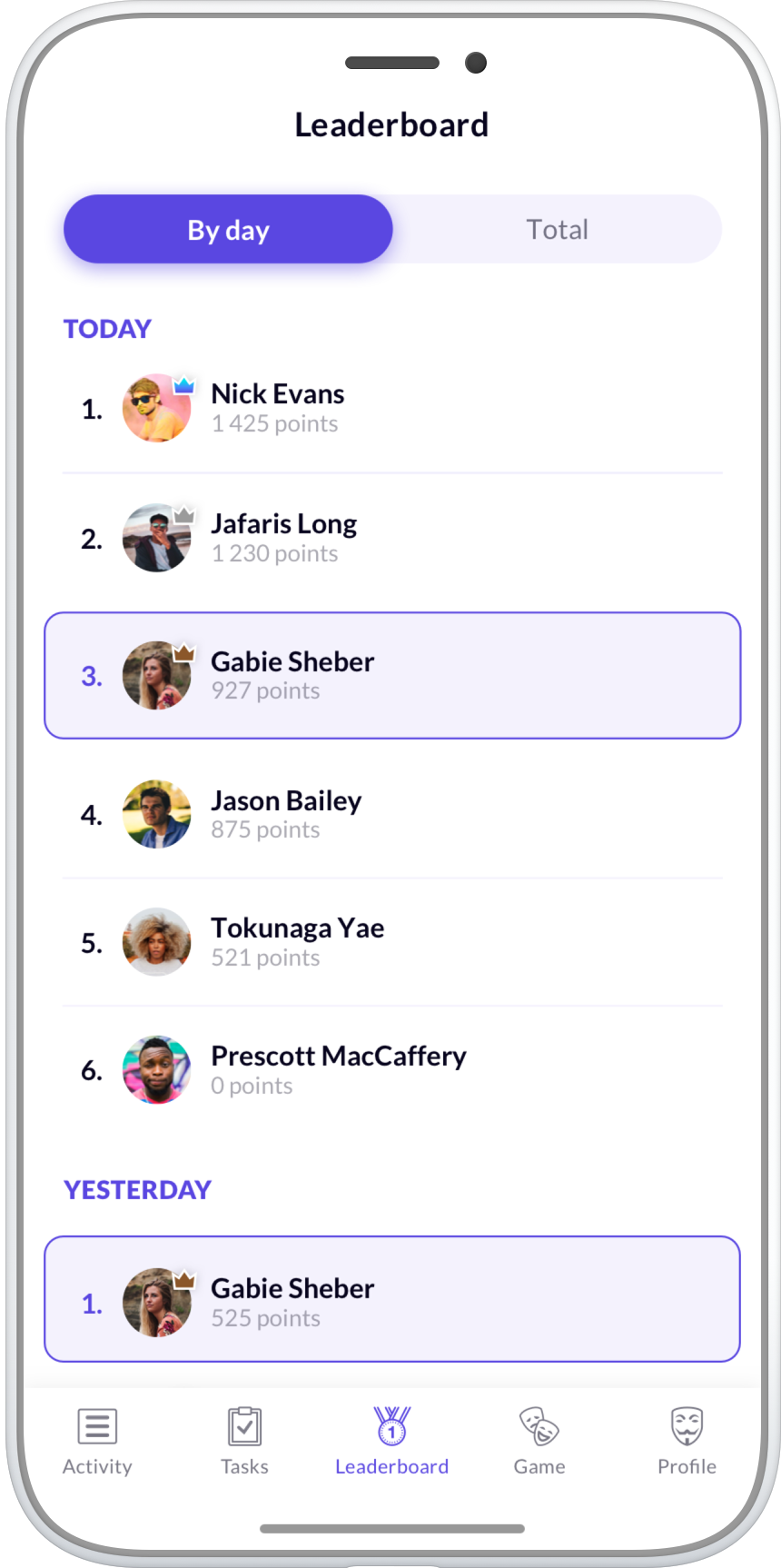
In every game there is Total leaderboard, which contains ranking for whole game. Optionally you can enable "Ranking per days", which enables detailed ranking per day.
This option you can enable in web configurator before your game starts. When this option is enabled, we recommend to modify another configurable option - when game day ends.
This is very useful thing. Imagine you're running an event that ends late at night. It is practical to say, that each completed task up to x-hours in the morning will be counted towards the previous day. This option you can modify in web configurator before your game starts.
You can preview your tasks anytime in web configurator.
When you publish the game, you can join the game in the mobile application and preview whole game, even if game is not running yet.
If you are organizing an event game, you should strive for engagement of all players in the game, so everybody can enjoy the experience. People should be well informed about the game and its rules. It is always a good idea to organize an introduction briefing at the beginning of the event and get everyone familiar with the game.
There are many ways how you can boost the motivation of players. Make sure you have tailored the tasks to your event, so player will have fun when completing tasks. You can also further incite the motivation by offering a pricelist.
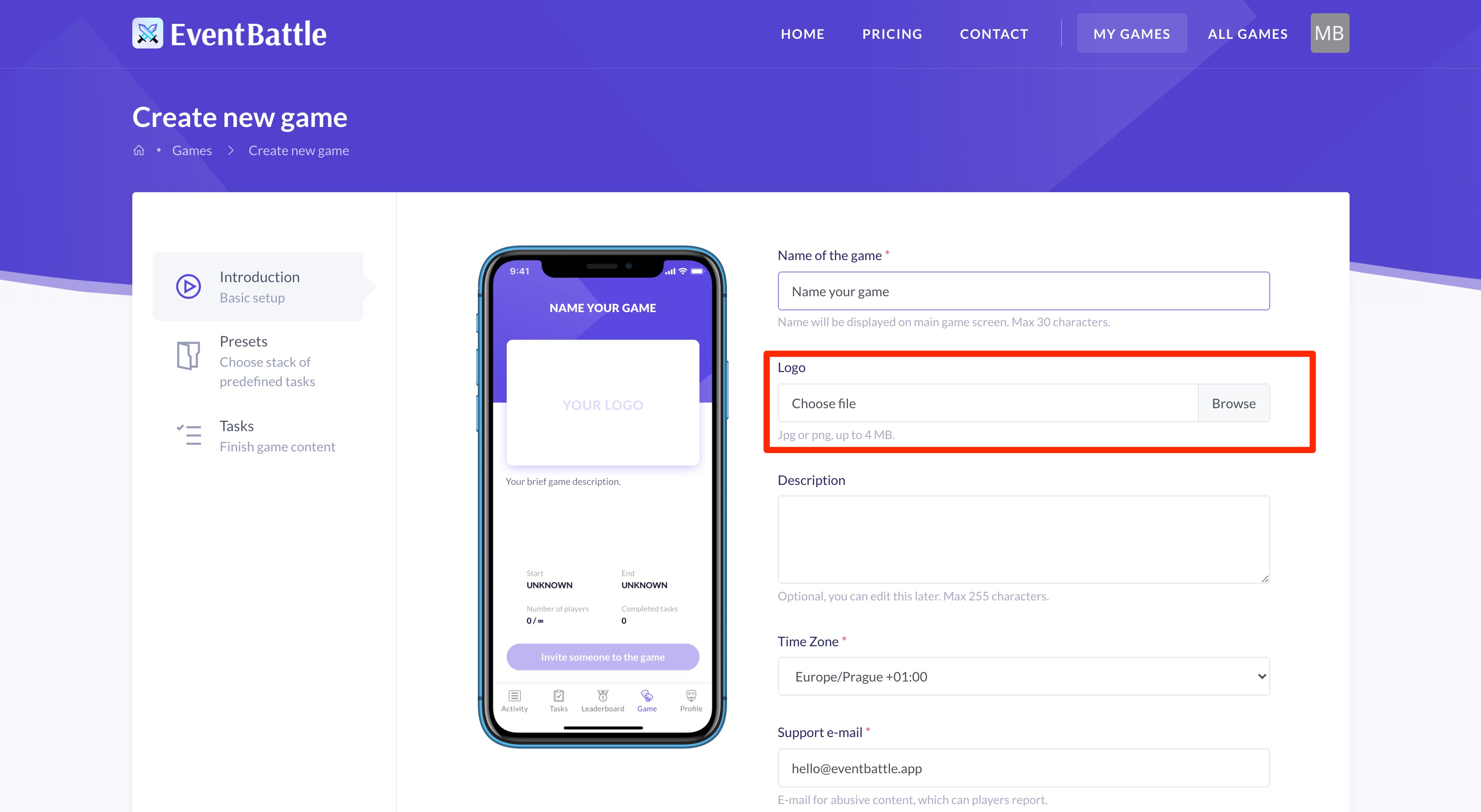
You can upload your game or company logo while creating the game .
After creating the game, you still have the option to change the logo, even if the game is already running. Go to "My games " and select game for display detail page.
Pricelist can be a good way of motivating player to engage with the game. We recommend to base the pricelist on the leaderboard, which is accessible to all player during the game. You can make a big announcement of the winners at the end of the event during which you hand over the prices.
You can use predefined set of tasks - presets, to speed up the process of creating tasks. Tasks presets are available within game creation process.
The task preparation process itself is also available as part of the game creation process. Don't worry, it is not necessary to have a final set of tasks when creating the game.
You can edit tasks at any time, even during the game.
Try to think outside the box when you are defining the tasks for your game. Player will be more engaged in the game when you make your tasks more unique and interesting. For example a task "Do 5 push-ups" is nice, but it may be more motivating for players if you make your tasks more complex, utilize the environment and interaction with other players.
Masks, hats and any other custom clothes are really good for engaging people with the game. Tasks with physical wearables should define minimum time the person is required to wear the item. These tasks can be also combined with some special abilities, so for example personal completing the policeman task is required to wear the policeman hat during this time.
Special ability tasks area tasks giving players some ability for limited amount of time. The task should specify the requirements for successful completion. A good example of such a task would be the policeman. The job of policeman is to watch for any alcohol consumption at the event. When the policeman sees someone drinking alcohol, he/she can stop them. For successful completion of the task policeman needs to catch at least 5 people within 30 minutes.
A task can have positive or negative amount of points. This means you can create "punishing" tasks with negative points to suppress unwanted behavior. The player needs to mark the punishing task as completed himself, thus basic principals of fair play need to be applied.
Tasks with negative points can be also used to facilitate a game store transactions. For example you can have an event t-shirt available for the players. When a player wants to buy the t-shirt with game points, he/she can mark the t-shirt task as completed.
Preset is a bundle of predefined game tasks. We have prepared many presets for all kinds of events (parties, teambuildings, etc.). Preset gives you a good starting point when you are defining tasks, but you are allowed tailer it for your game by tasks by adding/removing/editing any task.
Yes, you can edit things such as game name and description, logo or tasks after the game has been started.
You can not edit these things, when the game is running:
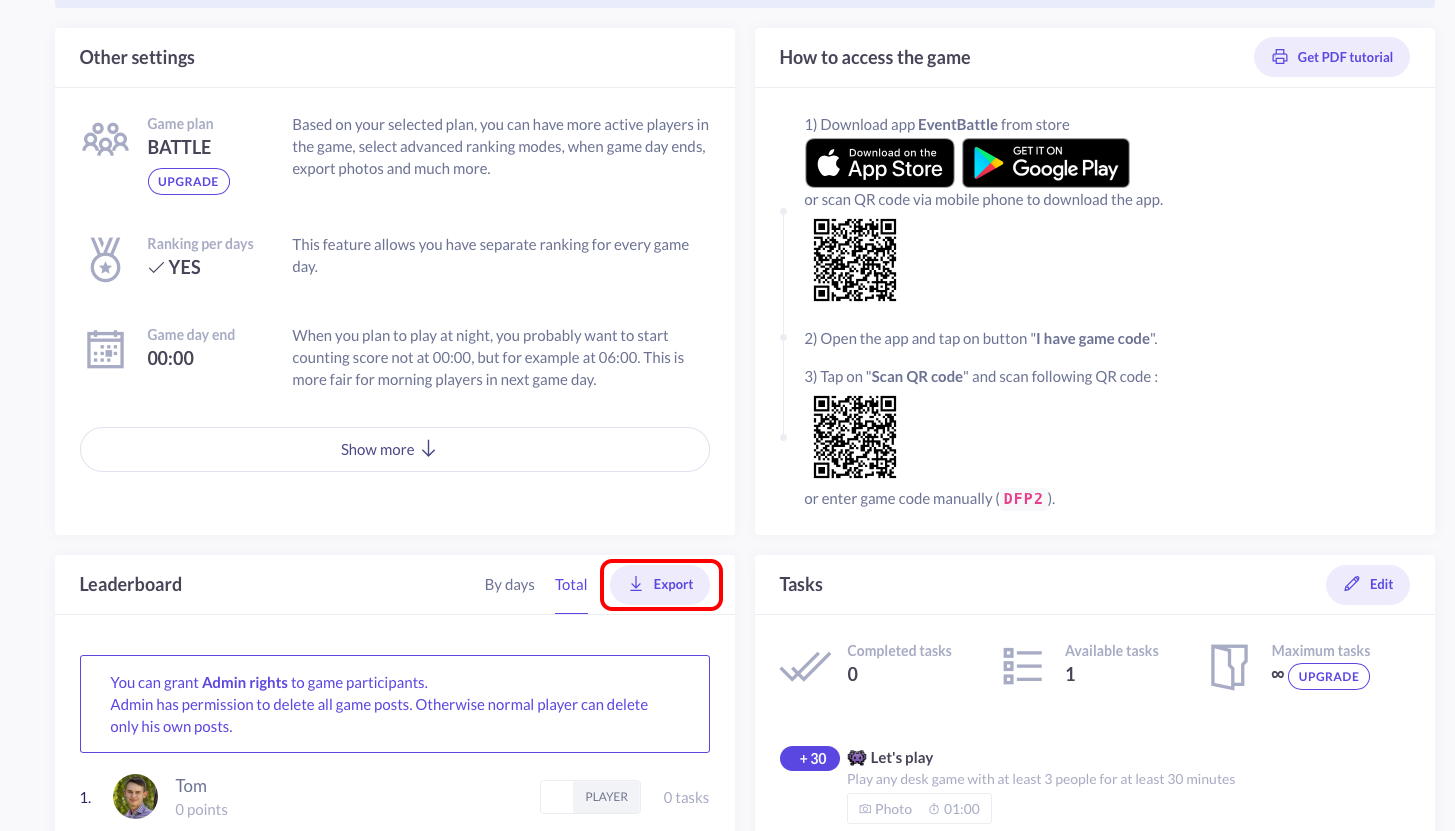
Export of game data is available for any finished game with one of our premium plans. To download the game data, click on the
Export button in the game detail on our website (see the screenshot). The download file will contain:
Note that the Export generation process is not instant and may take up to 48 hours. We will send you the export via email, when it becomes available.
There are two types of EventBattle accounts you can have.
1) login inside one of our mobile applications - for more information about deletion of this account type see link.
2) the other account type is a login into web configurator, which you can also delete, if you contact us at [email protected].
EventBattle is available for free on both AppStore and Google Play. You can install the app on any smartphone with Android 5.0+ or iOS 11+.
Yes, of course. Any post with image can be deleted by it's author. If you are a game admin, you are also allowed to delete posts from other people.
How to delete an image post:
Yes, you can delete your custom profile photo.
How to delete profile photo:
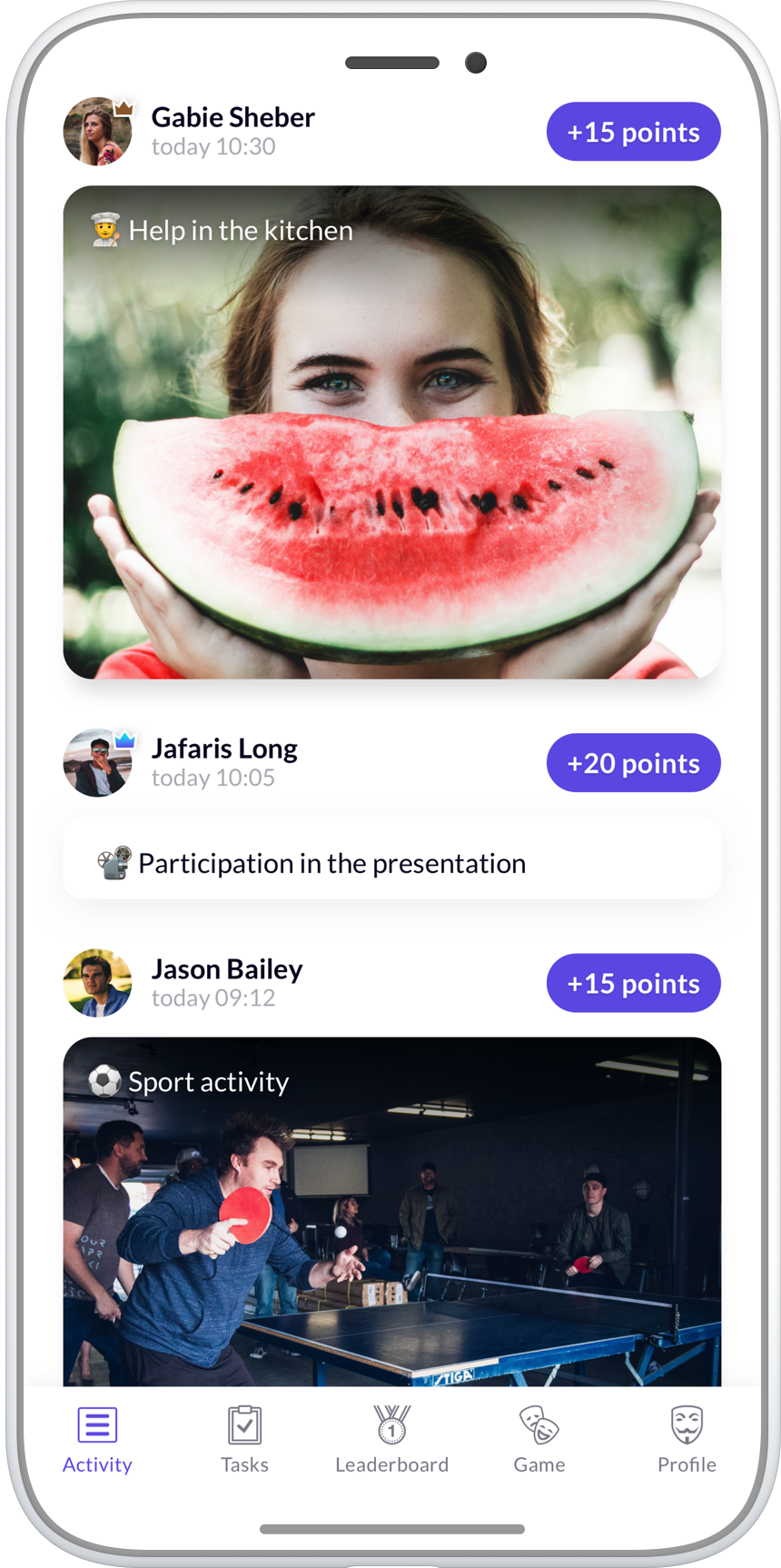
Profile in the bottom menu.Restore default profile photo.Yes, you can stay up today with whats going on in the game via the activity feed. The feed contains all task completions (including any associated images) of all players.
If you want to check the players scores overview, you can use the leaderboard. In case of multiple day event the leaderboard is dived into a total and by days sections.
Finally, every player has own profile in the game. You can see only his activity feed.
Account deletion is an irreversible process. If you decide to delete your account we delete all of your records including game profile (including your custom profile photo), earned points and posts (including any images associated with your posts).
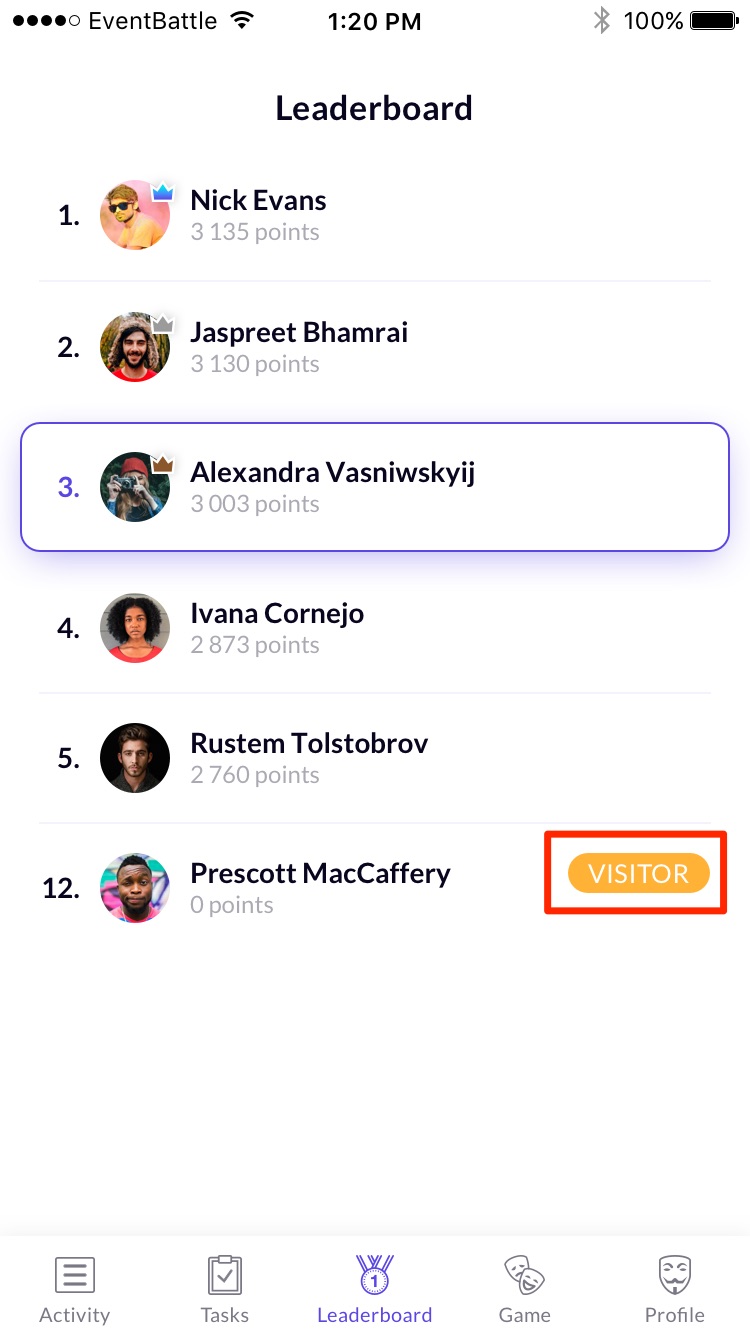
Profile in the bottom menu.Delete my account.If you see "visitor" next to your name in the game, then the player limit for the game has been reached. Please contact your game organizer to resolve this issue.
Every game has a maximum number of players. We do not block you from joining a game when it is full, but you become a visitor. As a visitor you are allowed to use the app and see the game progress, but you are not allowed to complete any tasks.
How to increase player limit:
The game organizer can increase the player limit within the game configuration on https://evetbattle.app/
Yes, of course. EventBattle apps are available in the AppStore, Google Play and Huawei AppGallery for free.
We will never stop your game. In case of reaching the game's maximum player limit, players can continue to play the game.
Players, who joined the game after the limit has been reached, will be marked as visitors, which will allow them to join the game, but they won't be allowed to complete any task.
If you upgrade the player limit, visitors will be automatically converted to full players.
Yes, you can upgrade your game any time regardless of the fact if the game has already started.
There is only one limitation. When you publish the game, you can't change when game takes place. So this can be in conflict what plan allows.

A scavenger hunt is a game in which players race to find, photograph, or document a list of tasks within a time limit. The player with the most points at the end wins.
Modern scavenger hunts are no longer about scribbled paper lists. They're played from a phone, scored automatically, and run anywhere — at the office, on a road trip, at a wedding reception, or across an entire convention floor.
Every scavenger hunt has the same building blocks, regardless of the venue:
Scavenger hunts come in several recognizable formats:
Scavenger hunts are a quiet workhorse format. They scale from 5 players to several hundred, work indoors and outdoors, and require nothing more than a smartphone. They're a fixture at team-building events, corporate conferences and trade shows, birthdays and wedding receptions, and family trips.
The reason is simple: they replace passive moments — small talk, queuing, downtime between sessions — with structured fun that produces shareable photos and stories.
The two terms are often used interchangeably, and for casual events the distinction doesn't matter. Strictly speaking, a treasure hunt ends with players finding a single hidden treasure or item, usually by following a chain of clues. A scavenger hunt rewards completing the most items from an open list — there's no single "treasure" at the end, just the highest score.
The easiest way to run a scavenger hunt today is from a mobile app. Players join with a short game code, complete tasks at their own pace, and the app handles scoring and the leaderboard automatically.
Read next:
If you want to try a scavenger hunt for your next event, EventBattle gives you a free game for up to three players — enough to test the format with your closest collaborators before scaling up.

Making a great scavenger hunt isn't about picking 50 random tasks. It's about pacing, theme, and the moment of the reveal. Here's the process that works whether you're organizing a team-building event, a wedding game, or a road trip challenge.
EventBattle tasks have three switches that shape the game:
Match the duration to the energy of your event. As a rough guide:
The number of tasks matters more than the difficulty. With fewer than 10, players finish too quickly and the leaderboard doesn't differentiate them. With more than 40, players give up.
Mix three difficulty bands:
Generic tasks ("photograph something red") are forgettable. Personal tasks ("photograph something the bride hates") are the moments people share afterwards. The most memorable scavenger hunts have:
Run through the task list yourself before sharing the game code. You'll catch:
The strongest scavenger hunts have three moments stitched in:
Manual scoring of a 30-task scavenger hunt for 20 players is brutal. EventBattle automates the leaderboard, photo collection, repetitions, and cooldowns so you can focus on the experience. Teams, corporate events, celebrations, and trips all use the same engine.
Read next:

Planning a scavenger hunt is mostly logistics. Get the planning right and the game runs itself; skip it and the day will be filled with "wait, what's the rule?" questions. Here's the checklist that good organizers run through before the game begins.
"Have fun" isn't a goal — it's the result. A goal is more specific:
Write it down. The goal will resolve every "should I include this task?" question for you.
Lock down the four numbers that shape every other decision:
For a 60-minute game with 5–20 players, aim for 20 tasks. Mix easy momentum-builders with stretch challenges that decide the leaderboard. See how to make a scavenger hunt for the full task-design process.
EventBattle scores by nickname, not by team — but team play still works as a workaround. Pick one of these approaches:
Decide which one before the kickoff so the rules are clear.
Run through this list two days before the event:
Take 90 seconds at the start to explain:
Skip this and the first 10 minutes of the game will be people asking each other for instructions.
Watch the leaderboard, but don't moderate too early. Most "is this allowed?" questions resolve themselves once the points start flowing. Mid-game, project the leaderboard if you can — it doubles the energy in the final third.
The reveal is the moment people remember. Show the top three on a screen, name them, hand the prize over in person. Then post the best photos to your team channel, the wedding album, or your conference recap email. The game becomes content.
Read next:

Setting up a scavenger hunt used to mean printing checklists, hiring a host, and refereeing arguments about whether a fuzzy photo of a duck counts. Today the setup is a five-minute job in a mobile app. Here's how to do it the modern way.
You can still run a paper scavenger hunt, and for groups of 4 or fewer it's fine. Anything bigger and a mobile app saves you in three places:
The setup wizard takes you through these in order:
Make it specific to the occasion: "Acme Off-site 2026" or "Sarah's 30th Birthday Hunt." Players will see this when they join, and it sets the tone.
EventBattle ships with ready-made task presets. Pick the closest match — you can edit any task afterwards. If none of them fit, choose "Build your own" and start from a blank list.
Each task has the following fields:
Pick the start and end date and time, and your timezone. For multi-day games, set the hour each game day closes — the day's ranking locks there, so overnight submissions count toward the next day.
Upload your logo, set a cover image, and the app generates a 4-character access code (e.g. EPIC). On the Battle plan you can pick your own code so it's easier to share verbally.
Once published, players install the EventBattle app, enter the code, pick a nickname, and they're in. No accounts, no email confirmation — the friction is intentionally low.
Before sharing the code, run through the first 5 tasks yourself in the app. You'll catch ambiguous wording and broken point values that look fine on the wizard screen.
Read next:

Playing a scavenger hunt is simple, but a few habits separate the players who finish near the top from the ones who finish frustrated. Whether your hunt is a corporate offsite, a wedding reception, or a family road trip game, the same fundamentals apply.
Modern scavenger hunts start with a short game code. In EventBattle:
No accounts, no email confirmation — you're in within 30 seconds of installing.
If this is your first hunt, three habits help:
Once you've played a few games, the meta-game shows up:
EventBattle scores per nickname, not per team — but team play works fine as a workaround:
Whichever you pick, agree on it before the game starts — mid-game switching gets messy.
Want to organize your own?

A digital scavenger hunt is the same game your grandparents played at summer camp, except the checklist lives on your phone, players upload photos for proof, and the leaderboard updates live. The format works for fully remote teams, hybrid groups, and in-person events that just don't want to mess with paper.
The right platform depends on your group:
For anything serious, use a dedicated scavenger hunt app.
Digital-friendly tasks lean on three categories — and EventBattle's task fields (photo required, repetitions limit, cooldown) shape how each one plays:
Avoid prompts that depend on a specific physical location ("photograph the third floor coffee machine") if any players are remote — they'll feel left out. Avoid free-text trivia with a single right answer; EventBattle doesn't auto-grade text answers, so verifying every submission becomes manual work.
Two formats work well for digital games:
Send the game code through whatever channel your group already lives in: Slack, Teams, email, or a calendar invite. Include:
Digital games don't need a host running the floor. Once the game opens:
Right after the game ends, post the leaderboard, name the winners, and share the best 5 photos. The recap is half the value of the game. People share screenshots of the leaderboard in their own networks, which is more effective than any post you'll write yourself.
Read next:
Youth ministry runs on energy, and few formats generate it as reliably as a photo scavenger hunt. Phones are already in everyone's pockets — a well-built game turns them from a distraction into the main event. Below are field-tested ideas for the three formats youth leaders run most, plus the practical guardrails that keep everything appropriate.
Every submitted photo is visible to the game creator, and any player can flag a post — content reported by several players is hidden automatically. Players join with a game code and a nickname only; no accounts and no personal details are required to play, and game photos are deleted automatically about two weeks after the event. Write tasks so all photos happen in shared spaces, and you have a game parents are comfortable with.
Ready to try one? See how youth ministries use EventBattle or build your first game free — the free plan covers 3 players, enough to test the whole flow before youth night.
Sports teams — from dance squads to amateur leagues to college athletics — spend a surprising amount of time together not training: bus rides, tournament downtime, pre-season weeks, team dinners. That's exactly where team bonding either happens or doesn't. A mobile scavenger hunt gives that unstructured time a shape: teams inside the team, photo tasks, and a leaderboard that runs itself while coaches focus on the actual sport.
Competition weekends mean long waits between short performances. A running photo game keeps younger members engaged, gives parents a window into the day, and hands coaches a ready-made highlight reel — every submission is a photo you can reuse for the team's social media (with the usual permissions).
One game covers the whole squad: up to 10 players for $29, 25 for $59, larger clubs per player. Multi-day games fit tournament weekends, and the leaderboard can rank each day separately. Players join with a 4-character code — no accounts, which matters for youth teams.
See how teams use EventBattle or build your team's first game free.
Event Battle is mobile app for any group of people, who want to have fun together. Try a new way how to play fun game during party, birthday, trip, teambuilding, corporate event any other gathering.
Our interactive game platform brings people together through fun and engaging challenges. Beat your colleagues/friends by completing some tasks! This is pure fun.
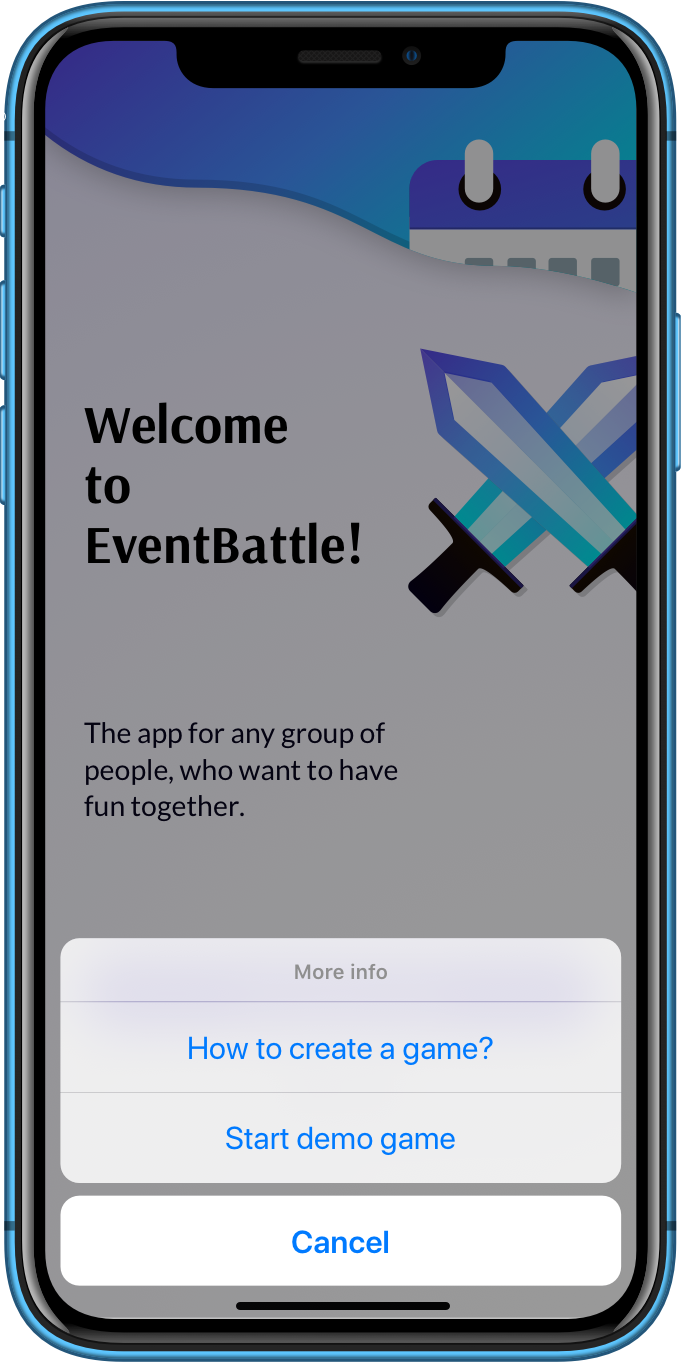
The demo game lets you explore the EventBattle mobile app.
The tasks here are exemplary. When you create your own game, you can customize tasks in the web administration.